For ages 4 to 12

A dictionary kids will actually open.

Thousands of hand-picked words with full-color illustrations, read-aloud definitions, and audio pronunciations. Built for the way children learn: curious, hands-on, and one word at a time.

Kids Dictionary app
11,000+ words and growing
20,000+ users
4.5 / 5 on the App Store
0 ads, trackers, or third-party sharing
Built around how kids learn

A real dictionary, made for small hands and curious minds.

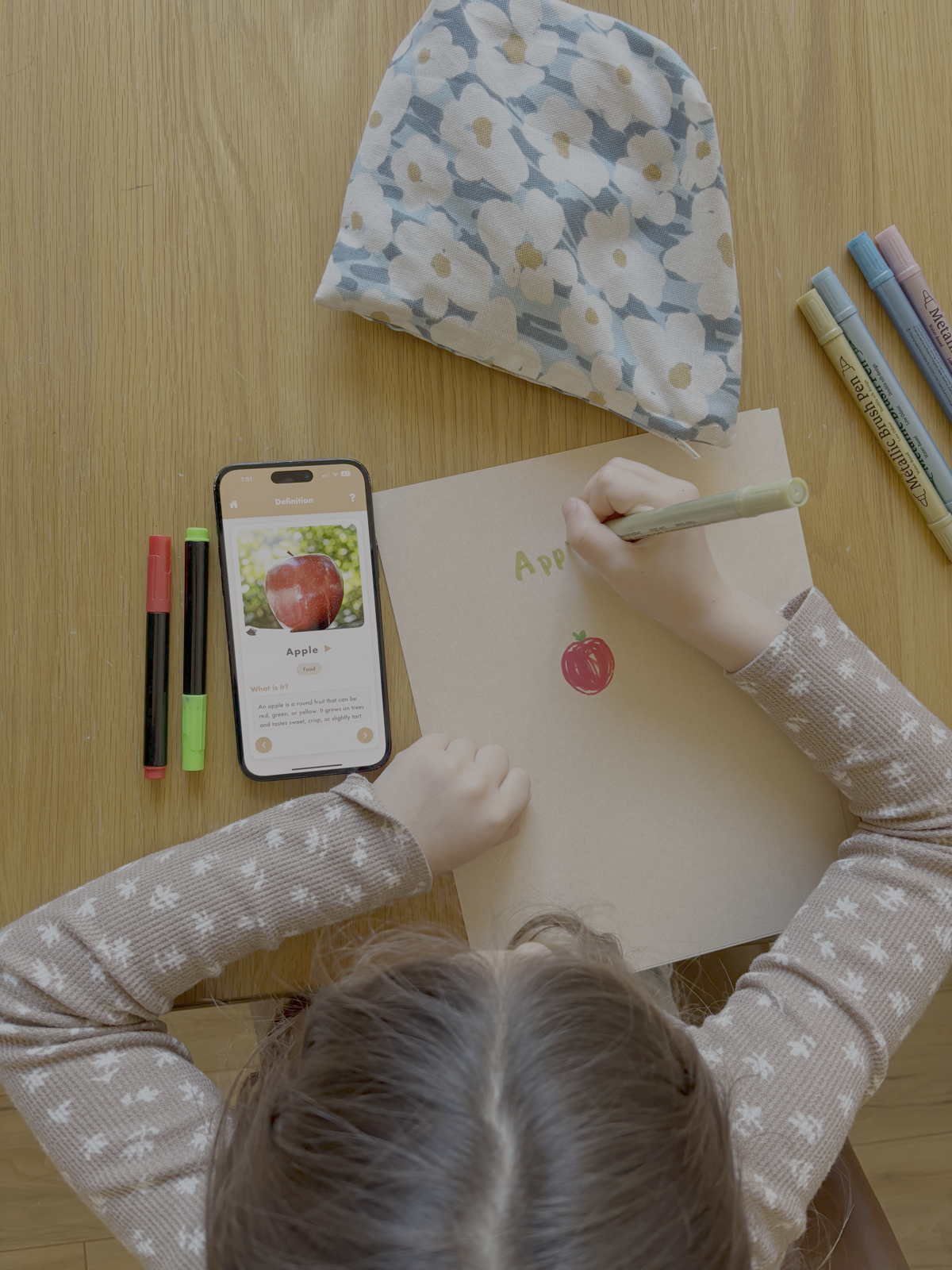
Every detail is tuned for independence. A five-year-old can open it, find a word, hear it pronounced, and understand what it means without needing a parent to read along.

Picture-first entries

Every primary entry pairs with a hand-vetted illustration or photo. Kids who can’t read yet can still browse and recognize words visually.

Clear read-aloud audio

Both the word and its definition are spoken by a warm, friendly voice. Taps replay instantly. Perfect for pre-readers and early readers building confidence.

Written at a kid’s reading level

No circular definitions, no jargon, no words your child doesn’t already know. Just a clear explanation of what the word means.

Instant search that just works

Type a few letters and watch the matches appear. The whole dictionary is one search bar away, with results that update as your child types.

Organized by category and letter

Words are grouped into twelve categories like Animals, Nature, and Feelings, and sorted alphabetically. Browsing feels like exploring a library.

Safe for every age

No ads. No social features. No external links. Every image and definition is reviewed before it reaches a child’s screen.

How it works

Three taps from a question to an answer.

Independent learning should feel effortless. We designed the app so a child can go from curiosity to understanding without ever waiting on a grown-up.

Step one

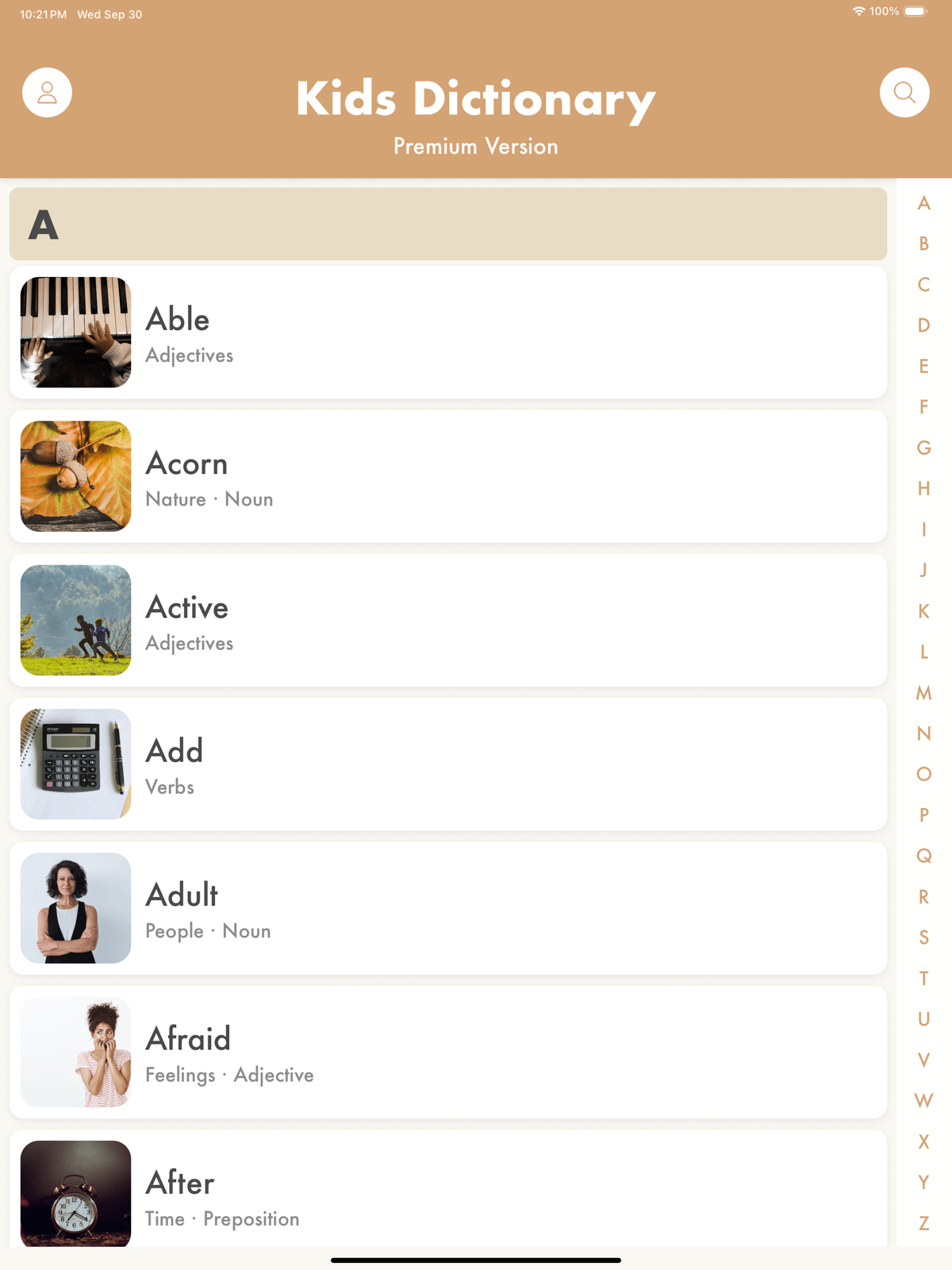
Browse or search.

Kids can explore by letter, by category, or type what they’re looking for into the search bar. The home screen is intentionally quiet, so the words themselves do the inviting.

  • Twelve friendly categories to explore
  • A to Z shortcut rail on every list
  • Smart search that forgives spelling mistakes
Kids Dictionary browse view showing a word list
Step two

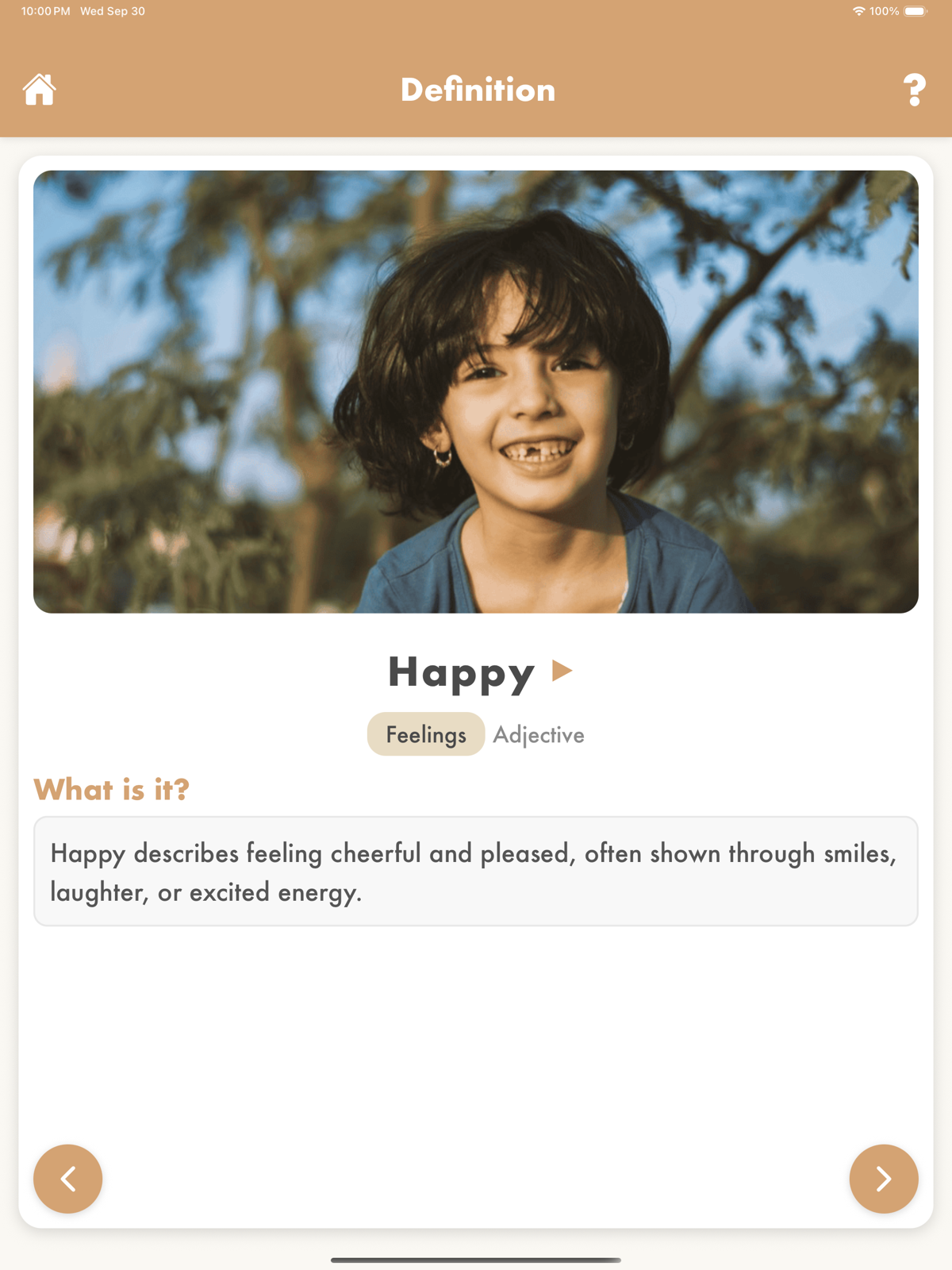
Tap any word, see it come alive.

The detail screen puts the illustration front and center. A clear definition sits underneath, with a tap-to-hear button for both the word and the explanation. The whole screen is designed to be understood in under five seconds.

  • Full-color illustrations
  • Audio pronunciation and read-aloud definition
  • Parts of speech displayed on every entry
Kids Dictionary word detail view
Everything inside

A lot of care, in a very small app.

Kids Dictionary is a lot more than a word list. Here’s what you get on the first install, and what keeps growing after.

Hand-picked illustrations

Illustrations are curated to be warm, clear, and age-appropriate.

Human-voiced audio

Pronunciations and definitions are recorded with a friendly, consistent voice.

Parts of speech

Each word shows whether it’s a noun, verb, adjective, or something else.

Twelve categories

Animals, Food, Nature, People, Places, Vehicles, Time, Verbs, Adjectives, Things, Concepts, and Feelings.

Family-safe by design

No in-app communication, no social features, no ads, no cross-site tracking.

Universal across devices

One purchase works across iPhone and iPad through Family Sharing.

Who it’s for

Designed for every kind of early reader.

For families

A quieter screen in the house.

When your child asks what a word means, hand them an app that answers calmly and respectfully. No sign-ups for your kid, no personal data collected, no games pulling at their attention. Used by English-speaking families and families learning English in dozens of countries.

  • Works for pre-readers through middle school
  • Audio pronunciation on every word (great for English learners)
  • Family Sharing on one purchase
Download the app
For educators

A classroom tool teachers trust.

Elementary and ESL teachers use Kids Dictionary as a reference during reading time, writing workshops, and independent study blocks. The School Edition unlocks every word by default.

  • Volume pricing for districts and classrooms
  • No student accounts required
  • Audio support for emerging readers and ESL
For schools
For librarians

A reference your library can recommend.

Public libraries and school librarians share Kids Dictionary with families looking for a trustworthy first dictionary. Age-appropriate content, no in-app purchases visible to kids, no ads.

  • Parent-gated purchase flow
  • Content moderation on every entry
  • Supports early-literacy programs
Get in touch
From parents and teachers

Loved by the people who use it most.

“My seven-year-old went from asking me what every word meant to looking them up herself. It’s the only app on her iPad I don’t feel guilty about.”

AM
Alexandra M.
Parent of two, Austin TX

“I use it during writer’s workshop with my second graders. The pictures and audio make it genuinely accessible for kids who are still building fluency.”

RK
Rachel K.
Second grade teacher, Portland OR

“Simple, beautiful, no ads. This is what every kids’ app should feel like. We bought it for our niece and nephew and have no regrets.”

JS
James S.
Uncle and former teacher
Common questions

What people usually ask before downloading.

What age range is this for?

Kids Dictionary is designed for children ages 4 to 12. Pre-readers can browse by illustration and listen to the audio. Early readers use it as a first dictionary. Older kids use it as a reference for schoolwork, especially during ESL instruction and vocabulary building.

Do I need to create an account?

No. There’s no sign-up, no email required, and no profile for your child. The app works as soon as you install it. We never ask for a kid’s name, age, or any identifying information.

Does the app collect personal information?

Not from your child. We don’t collect names, emails, locations, or any personally identifiable information from children. The app uses anonymous analytics to understand which features are useful, nothing more. Read the full privacy policy.

Is it a subscription?

No. Premium is a one-time purchase of $3.99. You pay once and own it forever, including every future word we add.

Does it work offline?

Mostly. The app downloads a core set of words at install and caches every word you’ve ever viewed. You can read any viewed entry offline. Searching for a brand-new word requires internet, but once viewed, it’s saved.

Can I use it on more than one device?

Yes. One purchase works across all iPhones and iPads tied to your Apple ID, and can be shared with up to five family members via Apple’s Family Sharing.

How is it different from Google?

Google wasn’t built for kids. Searching for a word on Google puts a child one tap away from the entire internet, including search ads, image results, and content designed for adults. Kids Dictionary is a closed system: one child, one word, one answer, in a safe environment.

Can my school get a volume license?

Yes. We offer discounted pricing for classrooms, schools, and districts. The School Edition unlocks all words by default and skips the in-app purchase flow entirely. Visit the schools page for details.

Does this work for kids learning English as a second language?

Yes. Kids Dictionary is used by families and schools in dozens of countries where English is a second language. Every entry pairs a plain-English definition with a photo-realistic illustration and clear audio pronunciation, which is the combination English language learners (ELL / ESL / EFL) tend to need most. Teachers in bilingual and immersion classrooms use it as a reference during reading time; parents of young English learners use it at home for daily vocabulary.
Ready to try it

A dictionary your child will reach for.

Free to download. Available on iPhone and iPad. One honest price when you’re ready to unlock everything.

Download on the App Store For schools