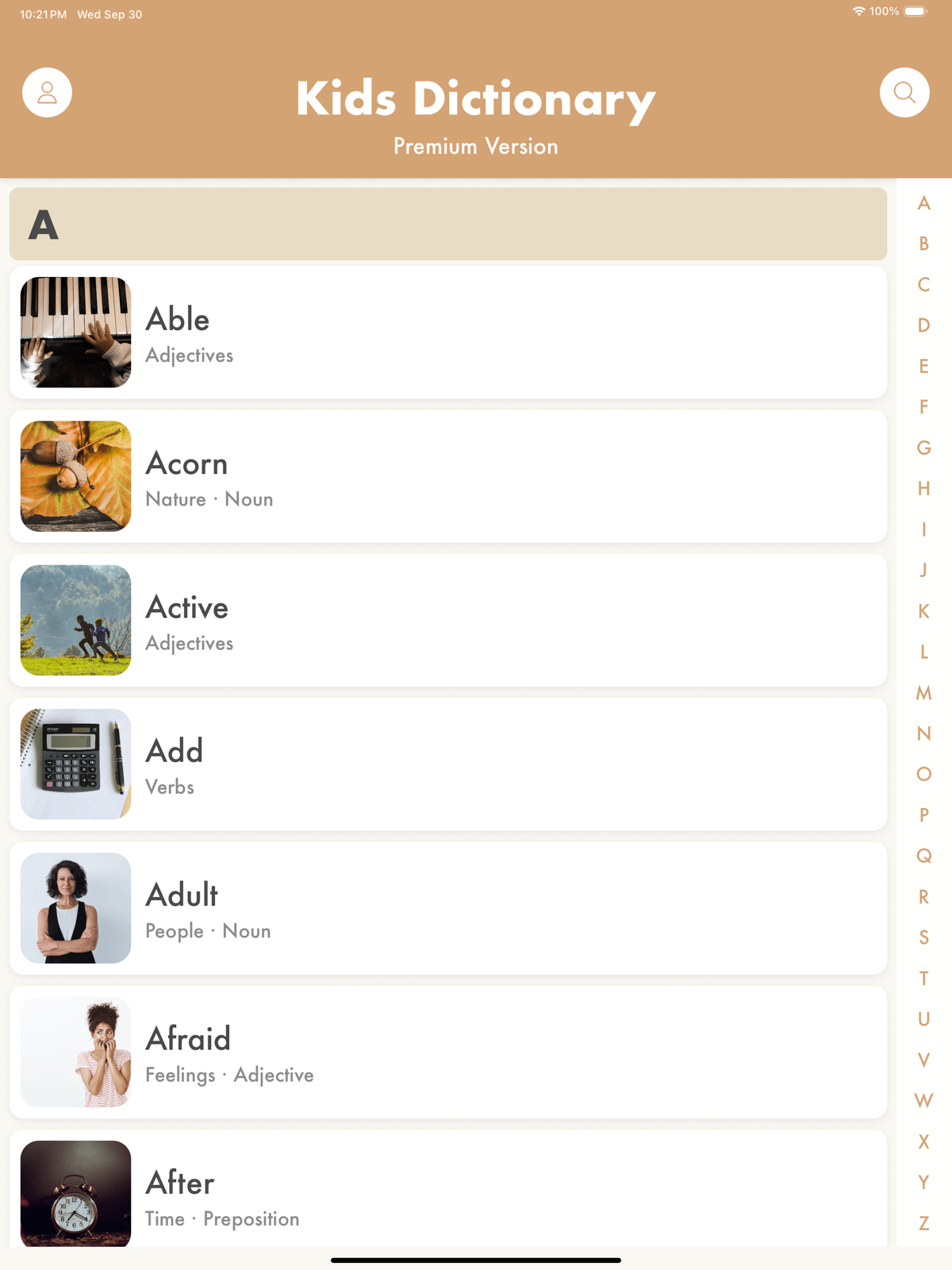
Kids Dictionary for Schools runs on Chromebooks via the web app and on iPads and iPhones via the native iOS app. Every student, every word, no accounts, no ads. Volume pricing for classrooms, libraries, and districts.
The School Edition is the same as the consumer app but with every word unlocked by default, no purchase prompts, and no distractions.
Students never see a paywall, an upgrade prompt, or a locked entry. The full 11,000-word dictionary is available on install.
No sign-ups, no email collection, no PII from students. The app works out of the box on shared devices.
The School Edition has no advertising, no third-party links, and no way for a student to spend money or wander off.
Chromebooks use the web app. iPads and iPhones use the native iOS app. Perfect for classroom carts, library stations, and 1:1 programs.
Human-voiced audio for both the word and its definition. Especially useful for ESL students and emerging readers.
Every word is reviewed for age-appropriateness. The School Edition’s content pipeline is designed around classroom standards.
Students who hit an unknown word don’t have to interrupt the teacher or skip past it. They can look it up in seconds and keep reading.
Second through fifth graders use Kids Dictionary during drafting to find more precise words, confirm meanings, and discover related vocabulary.
English language learners build fluency by hearing a word pronounced correctly, seeing an illustration, and reading a plain-English definition.
Deploy the iOS app through Apple School Manager and the web app through any Chromebook browser. One license covers your students across both.
Discounts begin at 20 seats and scale through single-school and district-wide deployments. Contact us for a quote tailored to your enrollment.
On iPads and iPhones, the native app is available on the App Store and distributable through Apple School Manager. For Chromebook deployments, make an inquiry and we’ll get your school set up on the web app.
The School Edition unlocks every word by default and removes the in-app purchase flow entirely. There are no upgrade prompts, no “unlock Premium” buttons, and no restore-purchases screen for students to accidentally hit. Everything else is the same high-quality app parents use at home.
Yes. We don’t collect personally identifiable information from students. The School Edition requires no accounts, no email addresses, and no student-generated content. Our data practices are described in detail in our privacy policy.
For iOS, download directly from the App Store or purchase in bulk through Apple School Manager’s Volume Purchasing program. For Chromebooks, make an inquiry below and we’ll provision access for your school. Larger deployments can be invoiced with a purchase order.
Kids Dictionary runs as a native app on iPhone and iPad (iOS 15 or newer) and as a web app on Chromebooks, Windows PCs, and any modern browser. Most classroom iPads are supported, including older iPad 7th-generation and newer models.
Kids Dictionary is designed for ages 4 to 12, which maps to roughly Kindergarten through 6th grade. Older students, especially those in ESL or special education programs, also use it regularly as a vocabulary reference.
Tell us a bit about your school and we’ll follow up within two business days with pricing, trial access, and anything else you need to make a decision.